Features › Why it didn’t fire
Traces, and the reason a hotkey didn’t fire
Every run leaves a trace with each step’s status, how long it took and the values it saw. An event that fired nothing leaves a row as well, and the row has a reason: the group is off, another macro had the key, a password field held secure input, or a condition came out false and here is what it saw.
Coming soon See pricing
What it does
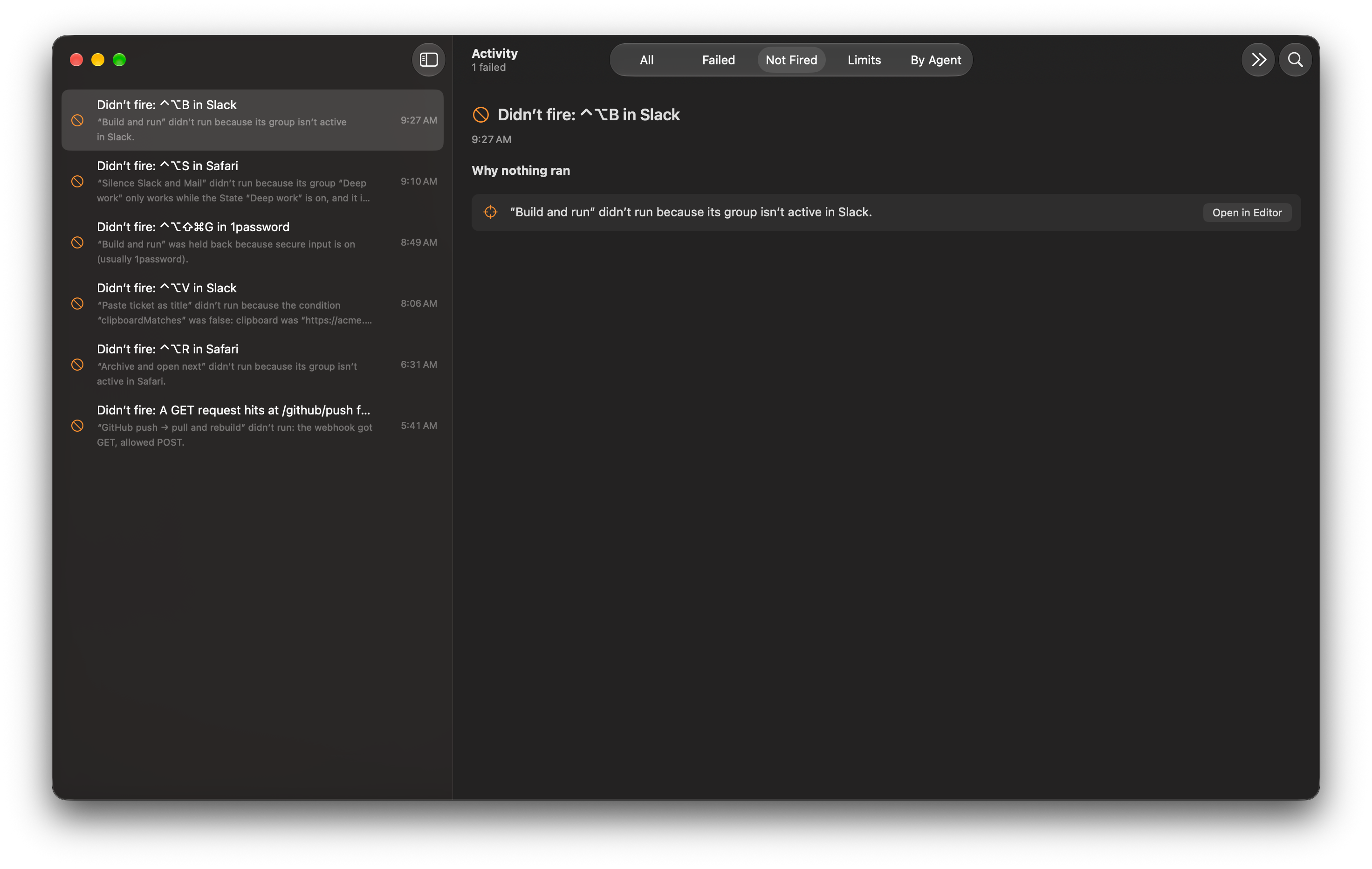
You press ⌃⌥S in Slack and nothing happens.
Open Activity (⌘2) and pick Not Fired. The row names the macro that could have run and gives the reason. Here it is Scope: the group is not active in the app that was in front.
Two of your macros both want ⌘⇧K.
The row says Conflict. Neither runs until one changes, and pressing the key opens a small panel asking which one you meant.
Your text expansions stop working after you sign in somewhere.
The row says Secure input and names the likely app with a hedge (“usually Safari”, “a background app”). It can only guess, because macOS credits the app in front and not the one that switched secure input on.
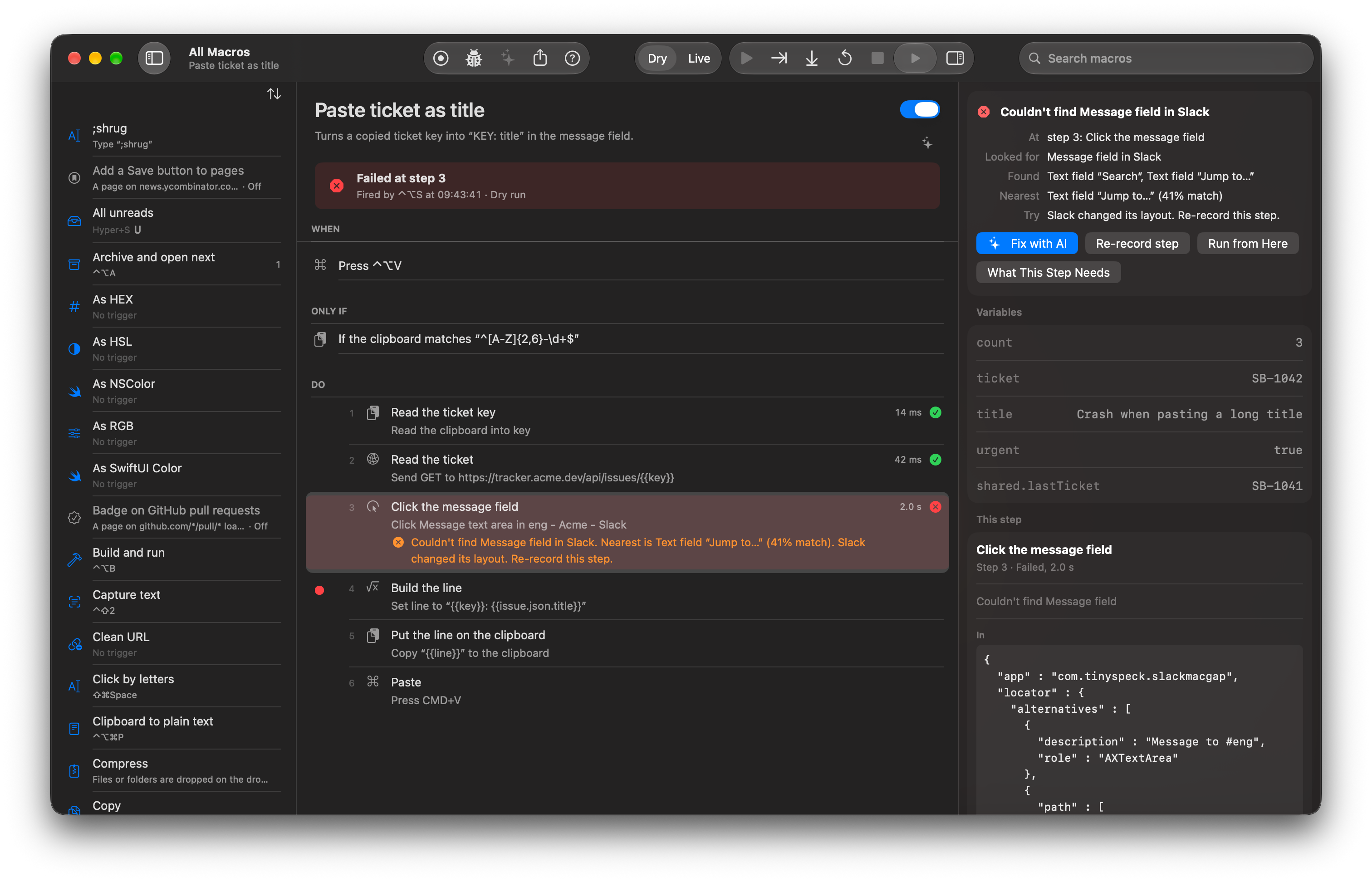
A macro that clicks Send in Slack fails at step 4.
The trace opens with a red block: Looked for role=AXButton title=“Send”. Nearest: AXButton “Send Later” 64%. Re-record it if the app changed. Buttons: Fix with AI, Open in Editor, Run Again.
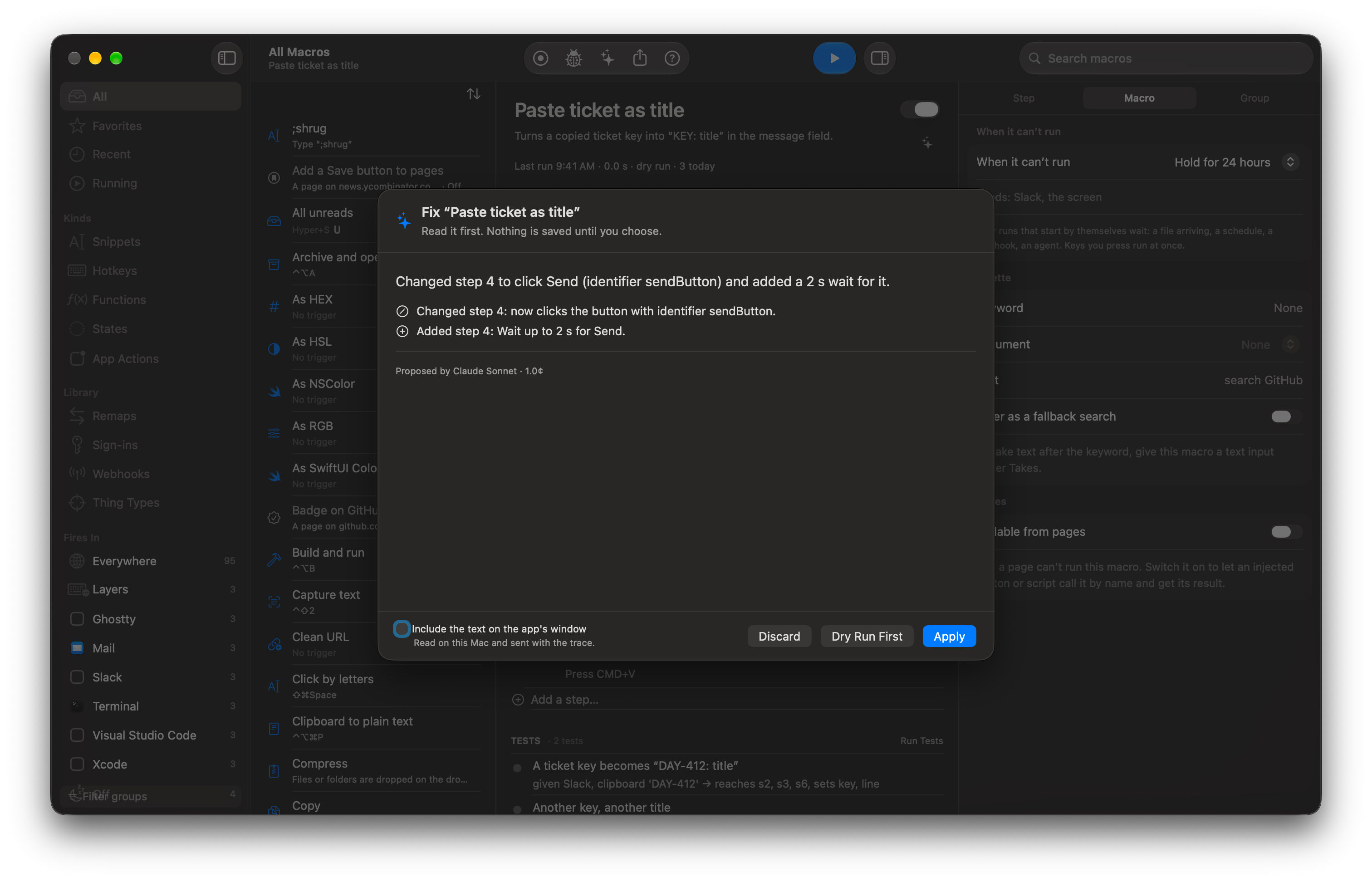
You press Fix with AI on that failed run.
One sentence says what it would change (“Changed step 4 to click Send (identifier sendButton) and added a 2 s wait for it.”). The changed steps are listed with the model and the cost, and nothing is saved until you press Apply. Apply is one Undo and a version in History.
How it works
- Open Activity (⌘2) and look for the run.
- No run: filter by Not Fired and read the reason. Run, but wrong: open its steps and show the values after {{ }} was filled in.
- Failed: read the failure block, then Fix with AI, or turn on Debug Mode, set a breakpoint and Run from Here. From Terminal: switchboard trace last and switchboard not-fired --since 2h.
Read the docs
- DebuggingHow to find out why a macro did not run, why it failed and what it would do, using Activity, traces, dry runs and the command line.
- Finding things on screenHow Switchboard finds a button, field or picture in another app, how sure it has to be, and what it does when it cannot find it.
- Make with AIDescribe a macro in a sentence and read what Claude wrote before anything is added or run.
- Testing a macroShows how to save a run as a test, run tests and checks, and know a macro still works after an edit or a macOS update.