Features › Agents and MCP
Let Claude Code run your macros, with a yes for the risky ones
Switchboard has an MCP server built in. Claude Code, Claude Desktop, Cursor or any other MCP client can list the macros you expose, run them, read their traces and draft new ones. You choose which macros are exposed, each run needs approval, there is a limit of 60 runs a minute, and every agent gets a trace. With Direct control turned on, an agent can also work in an app you name.
Coming soon See pricing
What it does
You ask Claude Code to file the ticket.
It calls run_macro on “Paste ticket as title” with key DAY-412. It sees only the macros you exposed, the inputs you declared become its arguments, and a choice input limits it to its options.
An agent decides to run “Delete old builds”, a macro you marked destructive.
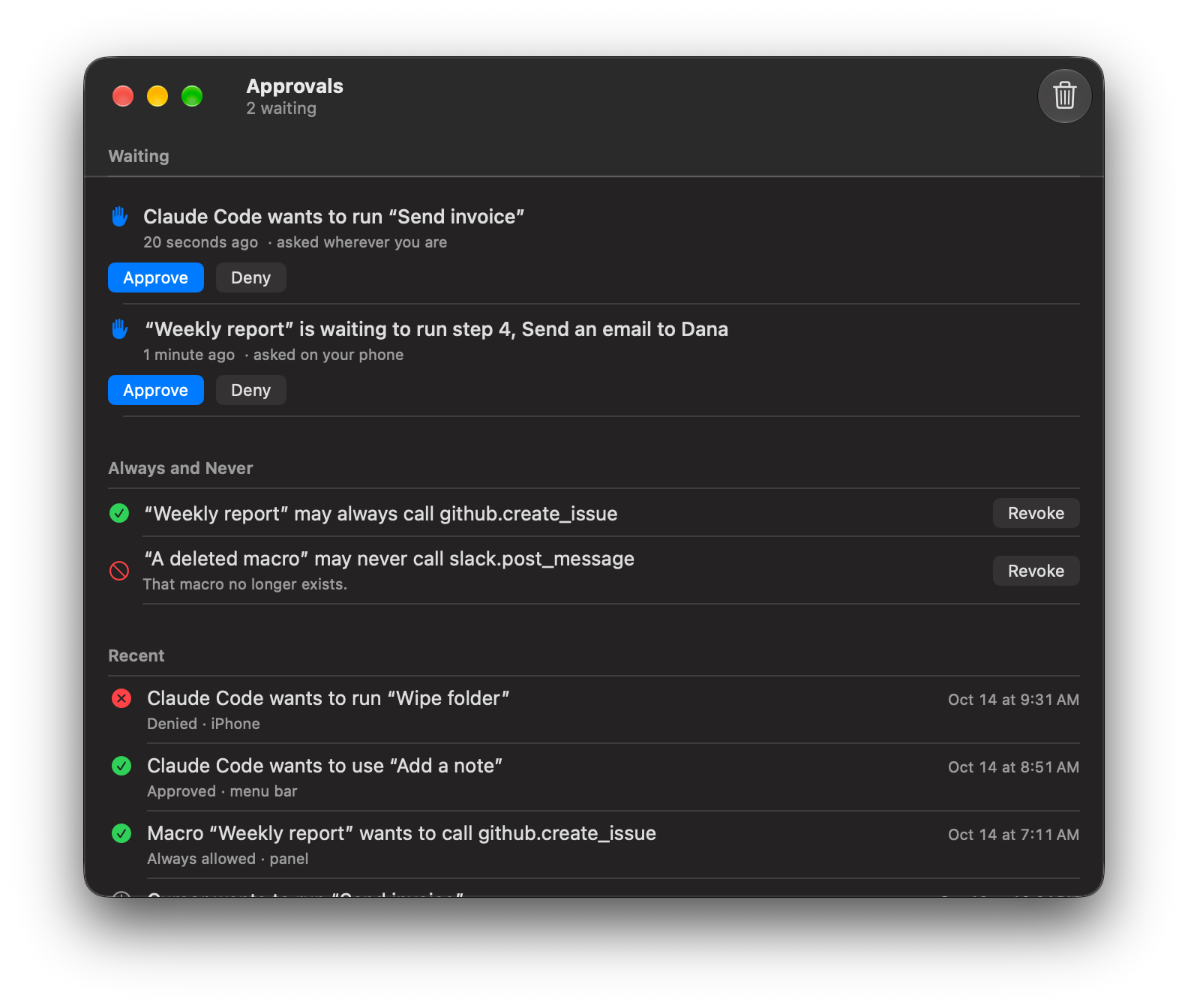
The run waits for your answer, whatever the approval setting says. The request names the macro, the agent and the inputs. If you deny it, or five minutes pass, the macro does not run and the agent is told why.
You wrote a macro that builds a report and mails it. You want a yes only for the mailing.
Set Ask before it runs on that one step. The run stops there and asks in the Approvals window or the menu bar. Yes runs the step. No fails it, and If it fails decides what happens next.
You ask the agent for a macro that renames screenshots.
create_macro checks it and saves it in a group called Agent, turned off, not exposed, and marked as made by an agent. Nothing in it runs until you open it, read it and turn it on. An agent cannot expose a macro, enable one or loosen its approval.
Next morning you want to know what the agent did.
Activity › By Agent lists its runs, each tagged “Claude Code via MCP”. You can open one and step through the trace like your own. All agents together are held to 60 runs a minute.
You want Claude Code to do something in Slack itself, not only run a macro.
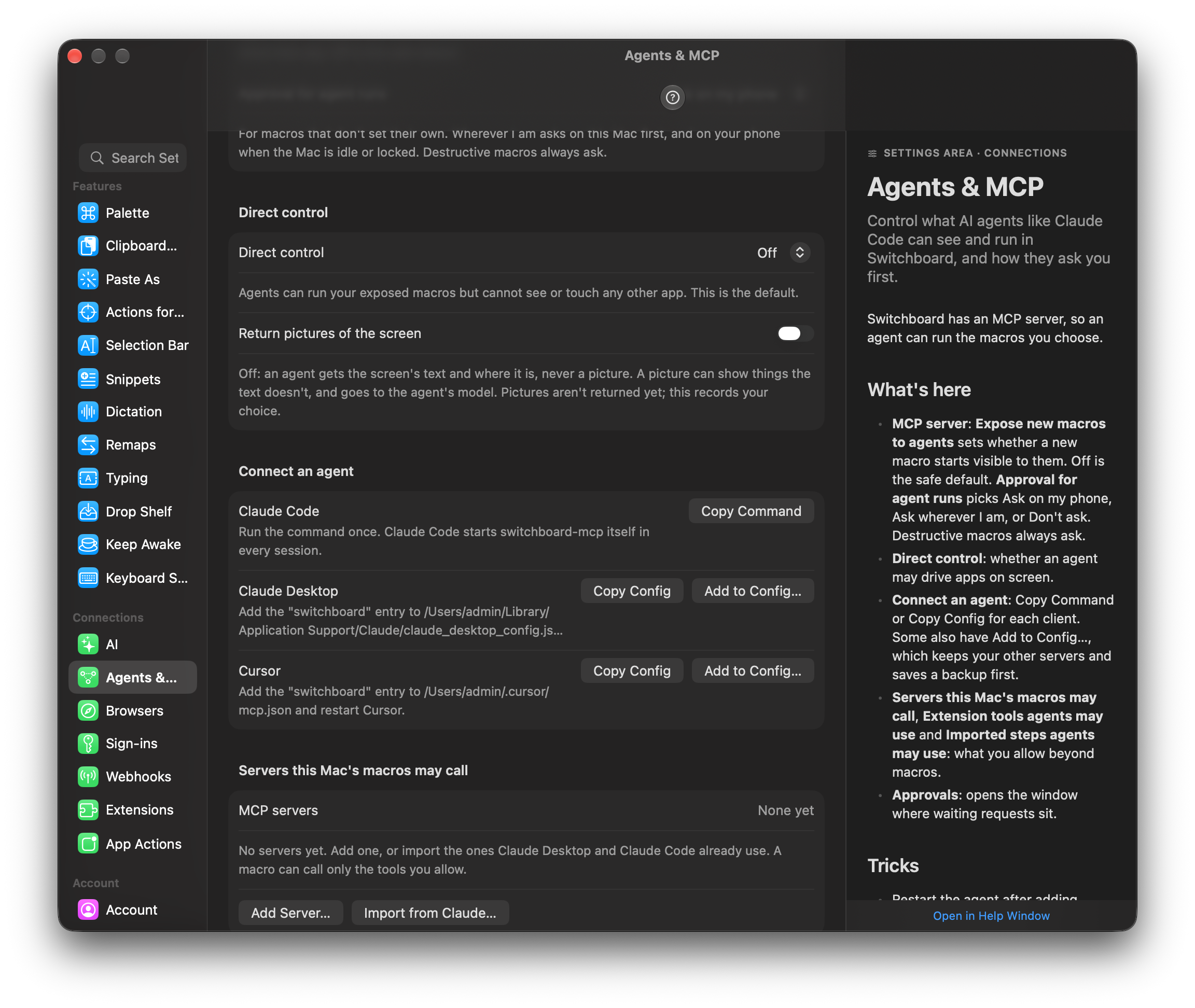
Turn on Direct control in Settings › Agents. Your iPhone shows “Claude Code wants to control Slack for 2 minutes” and you say yes first, or choose Looking only so it can never click or type. The session is fenced to the apps it named, never types into a password field and ends on its own. It all lands as one run in Activity, “Claude Code controlled Slack · 14 acts · 2 min”, with how sure Switchboard was of each element. If the job will recur, the agent can save the acts as a macro in the Agent group, turned off and with no trigger. The second time needs no agent.
How it works
- Expose a macro, write the description the agent will read, and choose whether it needs approval.
- Open Settings › Agents. Copy the command for Claude Code, or add the entry to Claude Desktop or Cursor.
- Tell your agent to call lint_macro before create_macro. Watch the result in Activity › By Agent.
- Show “Ticket {{ key }}”
Read the docs
- Agents and MCPHow Claude Code, Claude Desktop, Cursor and other agents run the macros you choose, with approval, a rate limit and a trace for every run.
- Trigger on anything an MCP server knowsRun a macro when a pull request, an issue, a database row or any other MCP resource changes, with no code for the service.
- iPhone and Apple WatchDescribes what the iPhone and Apple Watch apps do: a Pad of tiles that run macros on your Mac, Sensors that start them, Approvals you answer from your wrist or pocket, and the Shortcuts, widget and Control Center actions that go with them.
- PrivacyLists exactly what stays on your Mac, what goes to iCloud, what a shared macro leaves out, what the AI features send, and what an agent can see.