Features › Guardrails
Run a check before the app sees the key
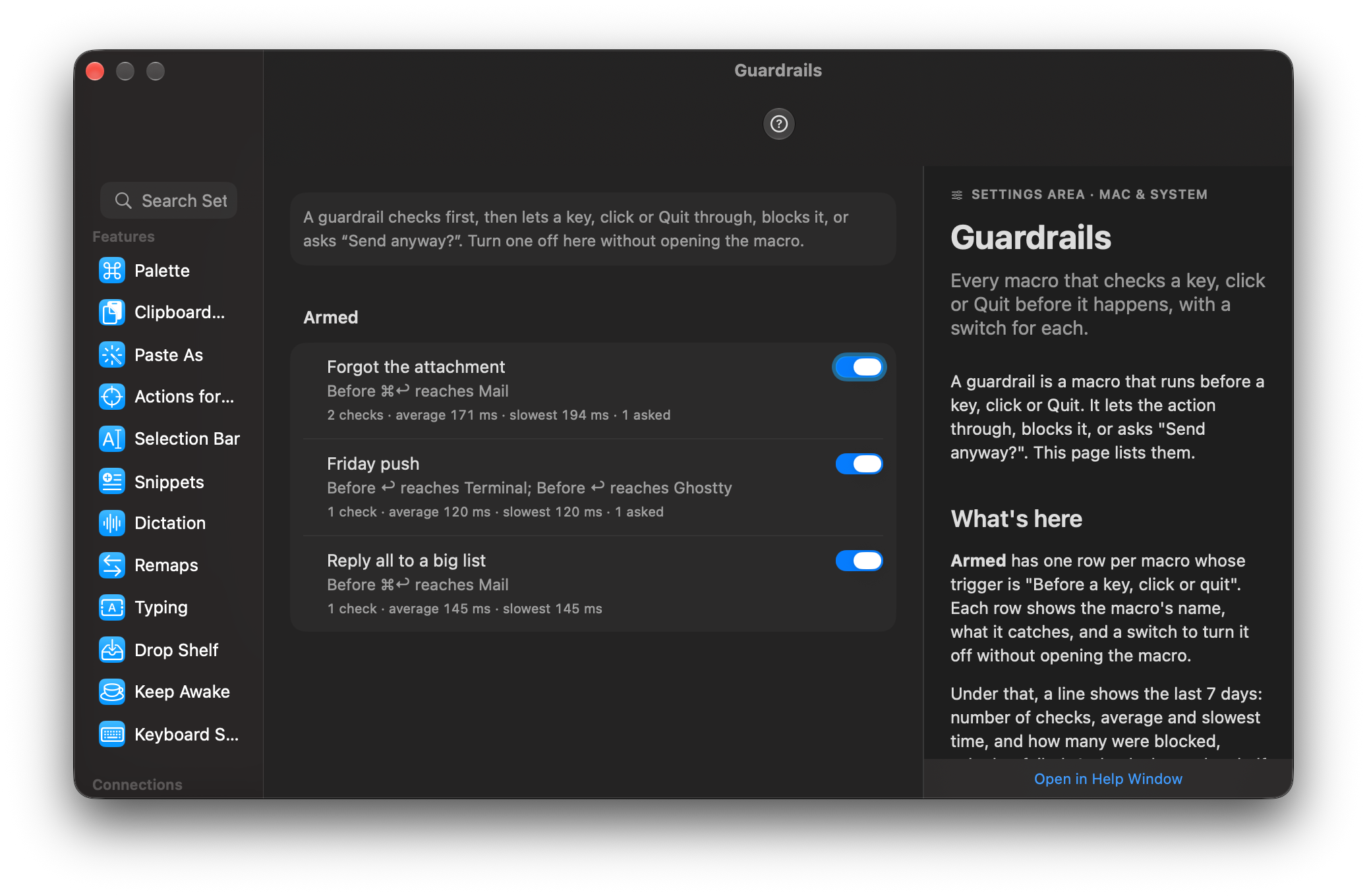
A guardrail is a macro that runs before a key, a click or ⌘Q reaches the app. It reads the situation, then passes the event, blocks it with a reason or asks “Send anyway?”. I made the default forgiving: if a check is slow or breaks, the key goes through, because a broken guardrail that eats your keystrokes would be worse than the mistake it was meant to catch.
Coming soon See pricing
What it does
You press ⌘↩ in Mail. The body says “attached” and there is no attachment.
Before Mail sees the key, a small panel opens at the pointer: “No attachment. The message mentions one.” Return cancels and ⌘↩ sends anyway. If there is an attachment, the key goes through and you never notice.
You answer a work thread from your personal iCloud address.
It reads the From line and the recipients, and Mail doesn’t send until you’ve answered “This goes to a work address from [email protected].”
You press ⌘Q in an editor with three windows of unsaved changes.
The guardrail counts them and asks “3 windows with unsaved changes. Quit anyway?”. It watches every app, but only the ⌘Q key: the Dock’s Quit and the Apple menu’s Quit get past it.
It is Friday, ten past four. You type git push in Ghostty and press Return.
Switchboard reads the line, sees a push after 16:00 on a Friday and asks “It’s Friday after 4. Push?”. Every other Return in the terminal passes straight through.
You press ⌘↩ on a reply to a list of forty people.
“This goes to 40 people.” appears with a Send Anyway button. Anything you typed while the check ran is held and delivered afterwards, in order.
How it works
- Choose the trigger Before a key, click or quit, and pick the app and what to catch: a key combination, a click on a button you picked with the Recorder, or Quit.
- Write the check as a macro, or add one of the five ready-made guardrails to your library, read it, then turn it on.
- End with an answer: let it through (the default), block it with a reason, or ask. If the check is slow or breaks, the action goes through. You can set a guardrail to block instead.
- Before ⌘↩ reaches Mail
- Read the mail being written
- If body matches “(?i)attach(ed|ment|ments|ing)?\b” and {{ attachmentCount }} is 0
- Ask “No attachment. The message mentions one.” with “Send Anyway”
Read the docs
- Guardrails: check before it happensStop a send, a quit or a push at the last second. A macro checks first, then lets the key through, blocks it, or asks "Send anyway?". Five ready-made ones.
- Before a key, click or quitCatches a key press, a click on a button you recorded, or Quit in one app before the app sees it, runs a quick check macro, then lets it through, blocks it with a reason, or asks "Send anyway?".
- DebuggingHow to find out why a macro did not run, why it failed and what it would do, using Activity, traces, dry runs and the command line.