Sort Downloads as things land
Receipts, screenshots and installers leave ~/Downloads by themselves: moved, renamed with the date, tagged, or trashed after a week.
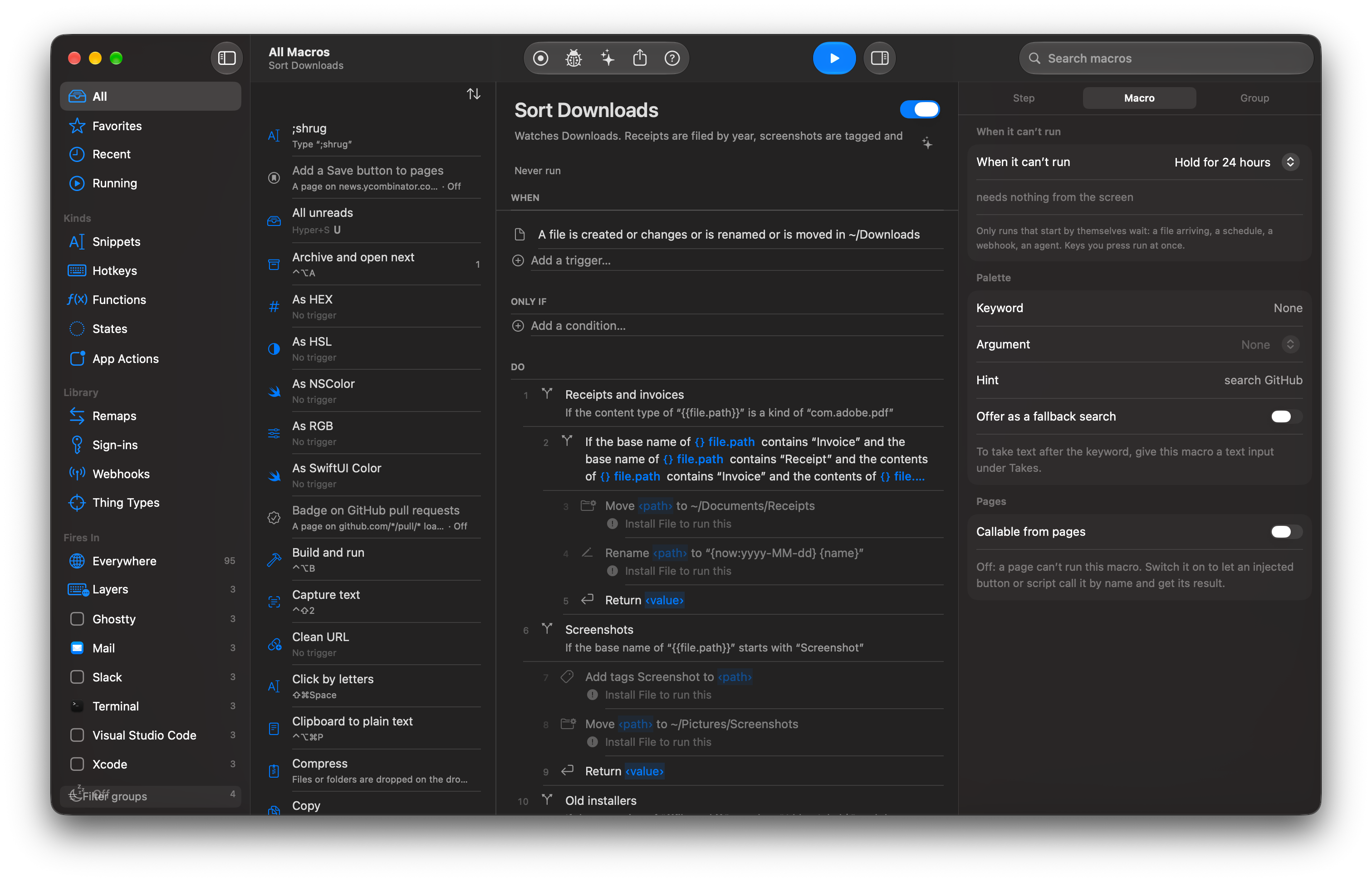
When
- A file is added to ~/Downloads
Only if
- The file has finished downloading
Do
- Rule: PDFs whose text mentions Invoice or Receipt, move to ~/Documents/Receipts/{year} and rename {date} {sender}
- Rule: screenshots, tag Screenshot and move to ~/Pictures/Screenshots
- Rule: .dmg and .pkg older than 7 days, trash
Before you start
Nothing to import. If you have Hazel rules, File › Import brings them across as exactly this shape.
Read more
- TriggersEvery way a macro can start, how conflicts and scopes decide which macro runs, and how to find out why a trigger did not fire.
- Variables and expressionsUse {{ }} templates, variables, operators and built-in functions to make a macro's steps depend on data.
For
Coming soon
Not out yet. When it is, the first 30 days are free with everything on, no card or account.